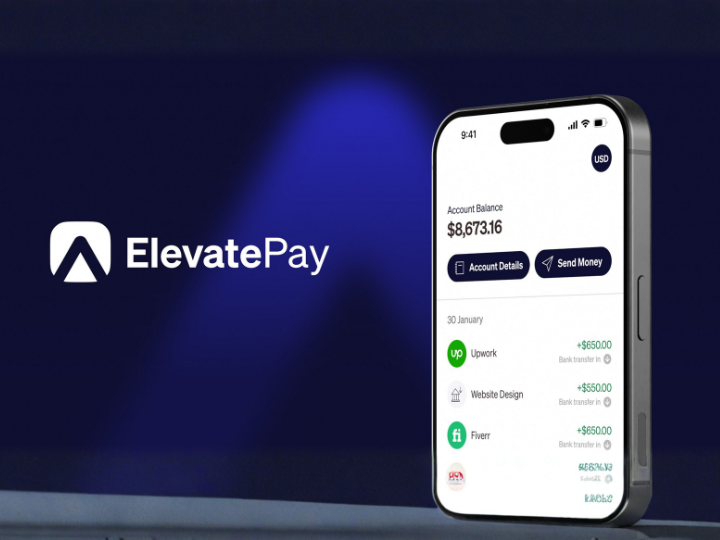
Open a free ElevatePay USD account and start receiving international payments in minutes.
Open ElevatePay Account Free →No monthly fee · No registration fee · ACH-enabled US account
If you've searched for the best way to receive USD payments in Pakistan or Bangladesh, ElevatePay has been coming up more and more as freelancers look for a faster, cheaper alternative to Payoneer. It gives you a US-based, ACH-enabled account you can share with international clients or freelancing platforms, plus a virtual Mastercard for spending your dollars online. We tested the ElevatePay app, its exchange rates, and its fees to see whether it actually holds up in 2026.
This review covers what ElevatePay is, how it compares to Payoneer and Wise, real fees and exchange rates, who it's actually built for, and how to get started.
ElevatePay is a USD digital banking platform built by Bloom Financial Technologies, designed specifically for freelancers, remote workers, and small businesses in Pakistan, Bangladesh, Egypt, and the Philippines. It gives you a US-based, ACH-enabled account with your own account and routing number, so international clients and platforms can pay you in USD as if you had a US bank account — then you convert and withdraw to your local bank or mobile wallet whenever you want.
Once your account is verified, you get local USD account details you can share with any client, agency, or freelancing platform that pays in dollars. Incoming funds land in your ElevatePay USD balance, where you can hold them, spend them with the virtual Mastercard, or convert and transfer them to your local bank account (like DBBL or bKash in Bangladesh) or mobile wallet. ElevatePay only accepts incoming funds from business accounts — payments sent from personal or individual accounts are returned, so it's built around client-to-freelancer and business-to-contractor payments rather than peer transfers.
If you're comparing platforms for the best Payoneer alternative for freelancers, the things that stand out with ElevatePay are: no monthly or registration fee, exchange rates that multiple users report as noticeably better than Payoneer's, and a virtual card that works with Apple Pay for everyday online spending.
ElevatePay doesn't charge a monthly fee or a registration fee to open an account. The platform states its goal is transparent pricing — any fee on a transaction is shown to you before you confirm it, rather than being deducted silently. The bulk of the cost you'll see comes from the exchange rate margin applied when converting your USD balance to PKR, BDT, or another local currency, plus fees on specific transaction types such as US wire transfers.
User reports are mixed but generally positive on this point: many freelancers describe ElevatePay's FX rates as meaningfully better than Payoneer's, especially for regular USD-to-PKR or USD-to-BDT conversions, though a portion of users note the rates have tightened somewhat since the platform moved to a new banking partner. As with any FX-based platform, it's worth checking the live rate in the app before converting a larger balance.
Every ElevatePay account includes a virtual Mastercard you can use immediately for online purchases, subscriptions, domain and hosting renewals, and Apple Pay. This is one of the platform's most consistently praised features — reviewers regularly mention using it to pay for tools and services that require a USD card, without needing a separate international card. As of this review, ElevatePay does not yet offer a physical card, and SWIFT transfers for receiving international wires are listed as a planned feature rather than a current one.
| Feature | ElevatePay | Payoneer | Wise |
|---|---|---|---|
| Monthly / registration fee | None | Annual fee on inactive accounts | None |
| Pakistan / Bangladesh support | Built specifically for this region | Yes, widely used | Limited / restricted in some cases |
| Virtual card | Yes, with Apple Pay | Yes | Yes (debit card) |
| Physical card | Not yet available | Yes | Yes |
| Freelance platform integrations | Growing, works with most direct client payments | Deep integration with Upwork, Fiverr, Amazon | Limited direct platform integrations |
The honest takeaway: Payoneer still has the deepest direct integrations with platforms like Upwork and Fiverr and offers a physical card, which matters if you need to withdraw cash from an ATM abroad. Wise offers excellent FX rates generally but has been inconsistent for freelancers in this region, with some users reporting account restrictions. ElevatePay's advantage is being purpose-built for freelancers in Pakistan, Bangladesh, Egypt, and the Philippines, with fee-free account opening and exchange rates that many switchers describe as a clear improvement over what they were paying before.
Freelancers on Upwork, Fiverr & direct clients: Receive USD payments without the high fees and rate spreads that eat into every withdrawal on other platforms.
Remote employees paid by US or international companies: Get paid via ACH into a US-style account and convert to your local bank whenever the rate works for you.
Digital creators and online sellers: Use the virtual card to pay for subscriptions, domains, hosting, and ad accounts that require a USD card.
Small agencies and importers: Business accounts can receive client payments and pay individual contractors directly, provided a valid contract is on file.
The Good: No monthly or registration fee, exchange rates that multiple users describe as noticeably better than Payoneer, a genuinely simple app experience, fast transfers to local banks and mobile wallets like bKash, and a virtual Mastercard with Apple Pay support that works immediately after signup.
The Honest Part: There's no physical card yet, SWIFT support for receiving international wires is still on the roadmap rather than live, the platform only supports USD (no multi-currency accounts), and a portion of Trustpilot reviews mention the account approval process rejecting applications without a clear reason, along with fees on wire transfers not always being flagged clearly in advance. Onboarding has also been described as slower than expected for some users, occasionally requiring follow-up before an account is approved.
For freelancers whose main need is receiving and spending USD without Payoneer's fees, though, ElevatePay is one of the more consistently recommended alternatives in Pakistan and Bangladesh right now.
1. Download the ElevatePay app (iOS or Android) or visit the ElevatePay signup page
2. Choose an individual account (freelancers/remote workers) or a business account (agencies/importers)
3. Complete identity verification (KYC) with your ID and basic details
4. Get your US-based account and routing number, and share it with clients or platforms that pay in USD
5. Activate your virtual Mastercard and start spending, or convert and withdraw to your local bank or mobile wallet
Most users report their account being ready within a few days, though verification time can vary depending on your documentation.
Is ElevatePay good for freelancers in Pakistan?
Yes — a US-based, ACH-enabled USD account built specifically for freelancers in Pakistan, Bangladesh, Egypt, and the Philippines, with competitive exchange rates and a virtual Mastercard.
How much does ElevatePay cost?
No monthly fee or registration fee to open an account. Costs come from the FX margin on currency conversion and fees on specific transactions like wire transfers, shown before you confirm.
Is ElevatePay better than Payoneer?
Many users report better exchange rates and lower fees with ElevatePay, though Payoneer still has deeper platform integrations and offers a physical card — the right choice depends on your specific needs.
Which countries does ElevatePay support?
Pakistan, Bangladesh, Egypt, and the Philippines, with outbound transfers to local currencies such as PKR and BDT.
If you're a freelancer or remote worker in Pakistan or Bangladesh looking for the best way to receive USD payments without losing a chunk of every withdrawal to fees, ElevatePay is one of the strongest options available in 2026 — free to open, competitive on exchange rates, and simple enough to set up in a few minutes. It's not yet a full replacement for Payoneer if you need a physical card or SWIFT wire transfers, but for receiving and spending USD day-to-day, it's hard to beat on cost.
Open your free ElevatePay USD account and start receiving international payments today →
Written by David Chen
David covers AI tools, fintech, and online business software for Startuplexa, testing each platform's onboarding and fees before publishing a review. Have a correction or update? Contact us.




This really encouraged me today, thank you for sharing!
Beautifully written. Sharing this with my family.
Exactly what I needed to read right now. Bless you for this.