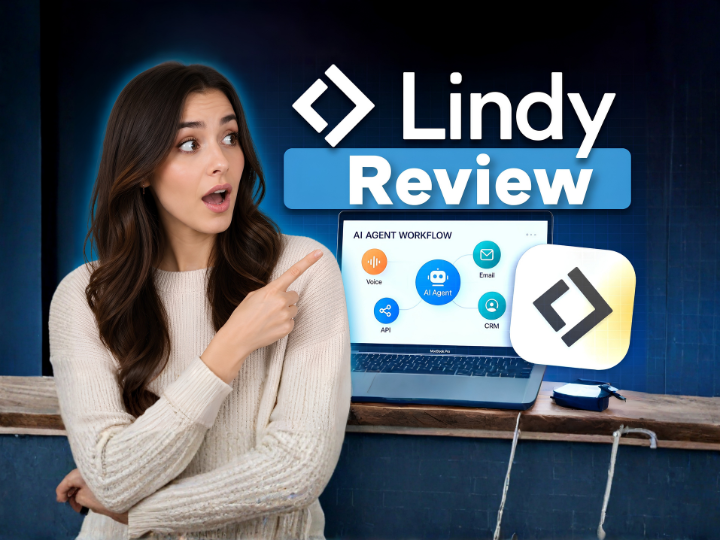
Try Lindy AI free — no credit card required. Set up your first AI agent in minutes.
Get Started with Lindy AI Free →Free plan available · Upgrade anytime
If you're spending hours every week answering the same emails, manually scheduling meetings, copying data into your CRM, or summarizing calls — you already know how painful and time-consuming repetitive admin work can be. Lindy AI was built to solve exactly that.
Lindy is an autonomous AI agent platform that acts like a smart employee working 24/7 in the background — handling your inbox, booking your calendar, updating your CRM, and even responding to customers — all without you lifting a finger.
We tested Lindy AI hands-on for several weeks across real business scenarios. Here is our full, honest Lindy AI review — covering features, pricing, integrations, real-world results, who it is best for, and who should skip it.
Lindy AI is an AI-powered automation platform that lets you build and deploy custom AI agents — called "Lindies" — that work autonomously on your behalf. Think of it as having a highly capable AI assistant that handles the tasks you hate, faster and more consistently than any human could.
Unlike traditional automation tools like Zapier or Make that follow rigid if-this-then-that rules, Lindy uses large language models to understand context, read between the lines, and take intelligent action. It doesn't just move data between apps — it reads your emails, understands what they're asking, drafts responses, updates records, and learns your preferences over time.
Lindy was founded with a clear mission: to give every business owner their own autonomous AI team. Whether you are a solo founder drowning in admin, a sales team that needs CRM hygiene on autopilot, or an operations manager running dozens of recurring workflows — Lindy is designed to be the AI layer that handles it all.
The core of Lindy is its AI agent system. You create individual "Lindies" — each one trained and configured to handle a specific job. You can have a Lindy for managing email replies, another for scheduling meetings, another for updating Salesforce after every call, and another for researching inbound leads.
Each agent operates independently, runs on triggers (like a new email, a new Slack message, or a calendar event), and takes action without needing you to approve every step. You set the rules once, and the agent handles everything from there. In our testing, deploying a basic email response agent took under 10 minutes.
Lindy's email assistant is one of its strongest features. It connects to your Gmail or Outlook inbox, reads incoming messages, classifies them, drafts contextually relevant replies based on your tone and templates, and sends them — or queues them for your approval, depending on how you configure it.
For businesses that receive dozens to hundreds of emails a day — customer inquiries, partnership requests, vendor questions — this feature alone can save several hours per week. The AI understands nuance: it distinguishes an urgent support request from a casual newsletter reply and handles each appropriately.
Lindy integrates with Google Calendar and Outlook Calendar to automate scheduling entirely. When someone emails to request a meeting, Lindy reads the request, checks your calendar availability, proposes suitable times, and confirms the booking — all without you touching your inbox.
It also handles pre-meeting reminders, post-meeting follow-ups, and can pull context from your CRM before the meeting so you walk in prepared. In practice, this feels genuinely magical — especially for founders who spend enormous time on back-and-forth scheduling.
Connect Lindy to Zoom, Google Meet, or any recording source and it automatically generates clean, structured meeting summaries including key discussion points, decisions made, and action items assigned to each participant. These summaries can be sent directly to Notion, Slack, your CRM, or any connected tool.
For sales teams, this is transformative. No more manually writing call notes. Lindy captures everything, updates the deal in HubSpot or Salesforce, and sends a follow-up email to the prospect — all automatically after the call ends.
Lindy integrates natively with HubSpot and Salesforce. After every call, email, or meeting, it can automatically log the interaction, update contact properties, move deals through pipeline stages, assign tasks to sales reps, and even score leads based on conversation content.
For any sales-driven business, keeping CRM data clean and current is a constant battle. Lindy eliminates that entirely — your CRM stays updated in real time without any manual entry.
When a new lead comes in — from a form, an email, or a CRM entry — Lindy can automatically research them. It pulls publicly available information about their company, role, recent news, and LinkedIn profile, then enriches your CRM record with that data so your sales rep shows up informed.
This is the kind of pre-call research that used to take 15–20 minutes per prospect. With Lindy, it happens automatically and instantly.
Lindy can be deployed as a first-response customer support agent — reading incoming support requests, understanding the issue, pulling relevant documentation, and drafting or sending a response. Complex cases escalate to a human. Simple, repetitive questions get handled automatically.
Unlike a traditional chatbot, Lindy doesn't rely on scripted decision trees. It reads the actual message, understands context, and responds naturally — which means customers get genuinely helpful replies, not robotic deflections.
One of Lindy's most powerful capabilities is chaining multiple agents together into complex workflows. For example: a new lead fills in a form → Lindy researches them → enriches the CRM → sends a personalized outreach email → schedules a discovery call → generates a pre-call brief → updates the pipeline after the call. All of that, automated end-to-end with zero manual steps.
This is where Lindy truly separates itself from simpler automation tools. The AI can make intelligent decisions at each step rather than just passing data from app to app.
Lindy integrates with 70+ platforms including Gmail, Outlook, Google Calendar, Slack, HubSpot, Salesforce, Notion, Zoom, Google Meet, Airtable, Linear, Intercom, Zendesk, and more. Zapier integration gives access to thousands of additional tools. The integration library is actively growing, and most core business tools are already supported.
| Plan | Price | Best For |
|---|---|---|
| Free | $0/month | Individuals, testing basic agents |
| Pro | $49/month | Solo founders, small teams, power users |
| Business | $99/month | Growing teams, higher task volume, advanced integrations |
| Enterprise | Custom | Large teams, custom SLAs, dedicated support |
Lindy's pricing is based on the number of AI "tasks" your agents run each month. The free plan includes a limited number of tasks — enough to test the core functionality and run a few light automations. The Pro plan at $49/month unlocks significantly more tasks, all core integrations, and the ability to chain multiple agents together. The Business plan adds team collaboration, higher task limits, and priority support. For most solo founders and small teams, the Pro plan is the sweet spot.
Important to note: Lindy's task-based pricing means costs scale with usage. If you run highly active agents across email, CRM, and research simultaneously, it's worth estimating your task volume before committing to a plan. The free trial is a great way to benchmark your actual usage before upgrading.
Start automating your business with Lindy AI. Free plan — no credit card needed.
Try Lindy AI Free →Free plan · Pro from $49/month · No coding required
| Feature | Lindy AI | Zapier | Make (Integromat) | Notion AI |
|---|---|---|---|---|
| Autonomous AI Agents | ✓ Yes | ✗ No | ✗ No | ✗ No |
| AI Email Drafting | ✓ Yes | ✗ No | ✗ No | ✗ No |
| Meeting Summaries | ✓ Yes | ✗ No | ✗ No | ✗ No |
| CRM Auto-Update | ✓ Yes | ✓ Yes (rule-based) | ✓ Yes (rule-based) | ✗ No |
| No-Code Setup | ✓ Yes | ✓ Yes | Partial | ✓ Yes |
| Context-Aware AI Decisions | ✓ Yes | ✗ No | ✗ No | Partial |
| Free Plan | ✓ Yes | ✓ Yes | ✓ Yes | Partial |
| Starting Paid Price | $49/mo | $19.99/mo | $9/mo | $10/mo |
The key difference: Zapier and Make are powerful but dumb — they follow rules, not judgment. Lindy is intelligent — it understands context and acts accordingly. If you need rule-based automation on a budget, Zapier works. If you need AI that can think and decide, Lindy is in a different league.
We configured a Lindy email agent on an active Gmail inbox receiving around 80 emails per day. Within 48 hours, Lindy was correctly classifying 90%+ of emails, drafting replies for common inquiry types, and flagging only the ambiguous or complex messages for human review. The draft quality was strong — replies were on-brand, appropriately concise, and contextually accurate. Time saved: roughly 2–3 hours per day.
We ran Lindy across 15 Zoom calls over two weeks. The meeting summaries were consistently accurate, well-structured, and captured action items correctly. Compared to manual note-taking, the quality was at least as good — often better, since Lindy doesn't miss things when attention drifts. The summaries arrived in Slack and Notion within minutes of each call ending.
The HubSpot integration worked flawlessly. After each sales call, Lindy updated contact records, logged call notes, moved the deal to the correct pipeline stage, and sent a follow-up email draft within five minutes. For a sales team that normally spends 30–45 minutes on CRM admin per rep per day, this is genuinely significant time savings.
Ready to see Lindy AI in action? Start your free account today.
Try Lindy AI Free →Used by thousands of businesses worldwide
Works extremely well for:
✓ Solo founders and entrepreneurs drowning in admin and email
✓ Sales teams that need CRM automation and post-call follow-up
✓ Operations managers running recurring multi-step workflows
✓ Customer support teams handling high inquiry volume
✓ Consultants and agencies managing multiple client accounts
✓ Startups wanting to punch above their weight without hiring
✓ Any business spending 10+ hours per week on repetitive tasks
Less suitable for:
✗ Businesses with very simple automation needs (Zapier may be cheaper)
✗ Teams needing deep customization or proprietary API integrations not yet in Lindy's library
✗ Users who are not comfortable giving an AI access to their email or calendar
✗ Very low-volume businesses where manual work is still manageable
Pros:
✓ Genuinely autonomous — agents act without constant human input
✓ Context-aware AI handles judgment calls, not just simple triggers
✓ Exceptional email drafting quality that sounds like you
✓ Meeting summaries and action items are accurate and fast
✓ CRM integrations with HubSpot and Salesforce work seamlessly
✓ No-code setup — most agents can be deployed in under 15 minutes
✓ Free plan lets you test meaningfully before paying
✓ Growing integration library (70+ tools and counting)
✓ Agents can be chained for complex multi-step workflows
✓ Saves 5–20 hours per week depending on use case
Cons:
✗ Task-based pricing can scale up quickly for high-volume users
✗ Some niche integrations are still missing (though Zapier helps)
✗ Initial agent setup requires thoughtful configuration to avoid errors
✗ Trusting AI with your email inbox requires comfort with AI autonomy
✗ Not yet the right fit for highly technical or compliance-sensitive industries
Lindy AI is one of the most impressive AI productivity tools we have tested in 2026. It goes far beyond simple automation — it brings genuine intelligence to the tasks that eat up your time. If you are running a business and still manually answering emails, typing up meeting notes, or doing CRM data entry, Lindy will feel like hiring a superhumanly efficient assistant for $49 a month.
The setup is surprisingly approachable — no coding required, and most agents are live within minutes. The quality of email drafts, meeting summaries, and CRM updates is consistently high. And the ability to chain agents into multi-step workflows makes Lindy a genuine competitive advantage for businesses that deploy it fully.
The main trade-offs are pricing at scale (task-based costs can add up for heavy users) and the need for a degree of trust in AI autonomy. But for any founder, operator, or team serious about reclaiming their time and running a leaner operation, Lindy AI is an easy recommendation.
Our Rating: 9/10 — Highly recommended for founders, operators, sales teams, and any business spending 10+ hours per week on repetitive admin work.
Ready to automate your business with Lindy AI? Start free — no credit card required.
Get Lindy AI Free Today →Free plan · Pro from $49/month · No code required
Jack covers AI automation and productivity tools at Startuplexa, testing AI agent platforms hands-on for founders and operations teams. He has reviewed 30+ automation tools.
More about Jack →



This really encouraged me today, thank you for sharing!
Beautifully written. Sharing this with my family.
Exactly what I needed to read right now. Bless you for this.