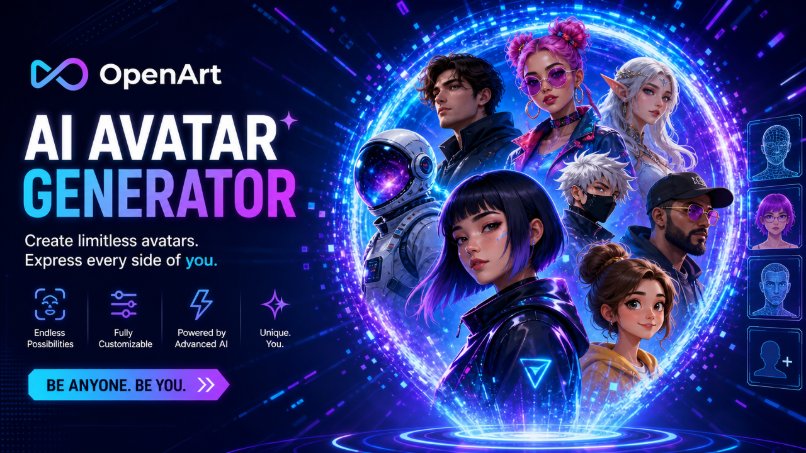
Want to turn a photo into a full set of avatar styles in one dashboard? OpenArt's free trial credits are the fastest way to compare looks.
Try OpenArt Free →Free plan available · No credit card required to start · Cancel anytime
"AI avatars" have quietly taken over social feeds — action-figure selfies, Studio Ghibli-style portraits, polished LinkedIn headshots, and stylized gaming characters all trace back to the same idea: upload a photo, and let an AI model reimagine it. Searching for a free AI avatar generator in 2026 turns up dozens of options, but they solve different problems. Some turn your selfie into a stylized profile picture. Others build a full 3D character for games and VR. A separate category makes your photo talk, with lip-synced video.
This guide focuses on the most commonly searched use case — turning a photo into a stylized 2D avatar or profile picture for free — while also covering 3D avatars and talking-head tools so you land on the right category of tool for what you actually need.
A free AI avatar generator is a tool that creates a digital representation of a person or character — usually starting from an uploaded photo, sometimes from a text description alone — without requiring payment for a baseline level of use. The output is typically a stylized 2D image, though "avatar" can also mean a rigged 3D character or an animated talking-head video, depending on the platform.
Three distinct categories share the "AI avatar" label, and it's worth knowing which one you actually need:
This guide focuses primarily on the first category, since it's the most common search intent, and briefly covers the other two so you can pick the right tool for your actual goal.
Not every free AI avatar generator handles likeness, style range, or export quality the same way. Before you commit time to one, check for:
Photo-to-avatar tools use image-to-image diffusion models: instead of starting from random noise like a pure text-to-image generator, the model starts from your uploaded photo and transforms it toward a target style while trying to preserve key facial structure — jawline, eye shape, proportions — so the result still looks recognizably like you.
Multi-model platforms like OpenArt run this process through a dedicated photo-to-avatar tool that lets you upload a picture, choose a style, and optionally add a short prompt describing mood, outfit, or background, then apply the same photo to multiple styles from a single dashboard.
3D avatar tools like Ready Player Me work differently — they map facial landmarks from your photo onto a rigged 3D mesh built for animation, rather than generating a flat stylized image. Talking-head tools like HeyGen or D-ID go a step further, animating a face or avatar to match a script using voice synthesis and lip-sync models.
Pick a well-lit, front-facing photo with your full face visible. Avoid heavy filters, sunglasses, or busy backgrounds — the model needs clean visual information to preserve your likeness.
Sign up with an email or Google account — no credit card required on true free tiers.
Use the platform's photo-to-avatar or image-to-image tool and upload your source image.
Choose a preset — professional headshot, anime, painterly, cyberpunk — or write a short prompt describing the mood, outfit, and background you want.
Most tools produce 2–4 variations per run. Compare them before spending more credits on a new attempt.
Reuse the same source image across two or three style presets to see which one actually fits your platform and audience.
Use inpainting or upscaling tools if a specific detail — hair, background, expression — needs adjusting before export.
Confirm what your specific plan allows, especially if the avatar will represent a business, brand, or paid product.
Ready to try it yourself? Start with OpenArt's free trial credits and turn your first photo into an avatar in minutes.
Start Creating on OpenArt Free →Because pricing and free-tier limits change often, always confirm current numbers on each provider's official page before relying on them. As of mid-2026, here's the general shape of free avatar generation across major tools:
| Tool | Free Tier Structure | Commercial Use on Free Tier |
|---|---|---|
| OpenArt (Photo to Avatar) | Unlimited on basic models, plus 40 one-time trial credits for premium styles; no credit card required | Generally permitted with attribution; confirm current terms |
| Fotor | Limited free avatar generations per day | Personal use on free tier; commercial rights on paid plans |
| Lensa | Limited free editing features; full avatar packs typically cost extra | Varies — check current app terms |
| Ready Player Me (3D avatars) | Free for individual use | Free for personal use across integrated apps/games |
| Canva (built-in AI avatar) | Limited free use within Canva's free plan | Personal use on free tier; commercial rights on paid plans |
| HeyGen / D-ID (talking avatars) | Typically a small number of free, watermarked videos | Watermark removed and commercial rights on paid plans |
The pattern holds across categories: free tiers are for testing and light personal use. Talking-avatar tools are the most restrictive on free plans, almost always adding a visible watermark until you upgrade, while static photo-to-avatar tools tend to be more generous with free generations.
A consistent, stylized avatar across LinkedIn, Discord, X, and Instagram.
A recurring avatar for a YouTube channel, podcast cover, or newsletter header.
A stylized or 3D character that represents you across games and chat platforms.
A polished, professional-looking headshot without a formal photoshoot.
A consistent character used across a company's marketing and social content.
A stylized avatar instead of a real, unedited photo across public profiles.
A freelancer wanting a more polished LinkedIn photo without booking a professional shoot uploads a decent phone selfie and applies a professional-headshot style preset, producing a business-appropriate image with better lighting and a clean background in under a minute. A Discord community organizer wants a recognizable, consistent avatar across a server and several social profiles, so they generate one stylized version and reuse it everywhere instead of picking a new profile picture on each platform. A small business owner wants a friendly, approachable mascot for social posts, and tests three style presets on the same reference photo before landing on a cartoon style that matches their brand voice.
| Tool | Best For | Avatar Type | Free Limit | Commercial Rights |
|---|---|---|---|---|
| OpenArt | Multiple styles from one photo, plus editing tools | 2D stylized image | Unlimited basic + 40 trial credits | Generally permitted, confirm terms |
| Fotor | Quick, simple profile avatars | 2D stylized image | Limited daily generations | Paid plans |
| Lensa | Artistic photo-to-avatar styles | 2D stylized image | Limited free features | Varies |
| Ready Player Me | 3D avatars for games/VR | 3D character | Free for individual use | Yes, personal use |
| HeyGen / D-ID | Talking-head video presenters | Animated video avatar | Few free, watermarked videos | Paid plans only |
Pricing and free-tier structures above reflect publicly available information at the time of writing and can change — always confirm current numbers directly on each provider's site before relying on them.
If OpenArt's multi-style, all-in-one approach isn't the right fit, here's an honest look at the main alternatives by category:
The right free AI avatar generator depends entirely on which category you actually need. For a rigged 3D character for games or VR, Ready Player Me is purpose-built and free for personal use. For an animated, speaking presenter, you'll need a talking-avatar tool like HeyGen or D-ID, and you should expect a watermark until you pay. But for the most common request — turning a photo into a polished, stylized avatar or profile picture — a multi-model platform like OpenArt lets you test several style presets on the same photo in one session, which is the fastest way to find a look that actually fits your brand or personality before spending anything.
See what a single dashboard with dozens of avatar styles can do with your own photo.
Get Started with OpenArt Free →Free plan available · No credit card required · Cancel anytime
Disclosure: This page contains an affiliate link. If you sign up through it, Startuplexa may earn a commission at no extra cost to you. Pricing and free-tier details reflect information available at the time of publishing and may change — always verify current details on each provider's official site.