Character vlogs are blowing up. A consistent AI character doing daily vlogs, storytelling, giving advice, going on adventures. Each video gets 100K+ views. The channels monetize at 5-10K per month just from YouTube ads. Plus merchandise, Patreon, sponsorships.
The best part? You can create these entirely with OpenArt. No hiring actors. No filming. No expensive production. Just AI-generated characters doing compelling content. I'm going to show you exactly how.
The Hook: A consistent character. People follow characters, not random content. A character vlog means viewers know who they're watching. They come back for that character, not for random videos.
The Relatability: AI characters are oddly relatable. They're consistent. They don't have bad days. They're perfect for storytelling. Viewers get invested in the character's journey.
The Algorithm: Consistency = algorithm push. Upload a new character vlog every day? YouTube loves you. High watch time + comments = recommended constantly.
The Simplicity: No actors. No crew. No location scouting. One person can produce 30 character vlogs per week.
Your character needs to be memorable. A distinct look. A personality. A unique aesthetic.
Character Examples That Work:
→ "The Time Traveler" - A futuristic woman visiting different eras, shocked by historical events. Sci-fi outfit, purple hair, sarcastic personality.
→ "The Detective" - A noir-style detective solving mystery stories. Trench coat, fedora, cynical humor, dramatic narration.
→ "The Wanderer" - A travel vlogger exploring fantasy worlds. Adventure outfit, curious personality, always amazed by what she finds.
→ "The Therapist" - A wise character giving life advice. Professional look, warm personality, genuine concern for viewers.
→ "The Gamer Girl" - A futuristic character in a gaming setup. Neon aesthetic, energetic personality, reacting to virtual adventures.
Your Character Needs:
- A distinct visual identity (clothing, hair, accessories)
- A name that's memorable
- A personality (sarcastic, wise, bubbly, mysterious, adventurous)
- A unique setting or aesthetic
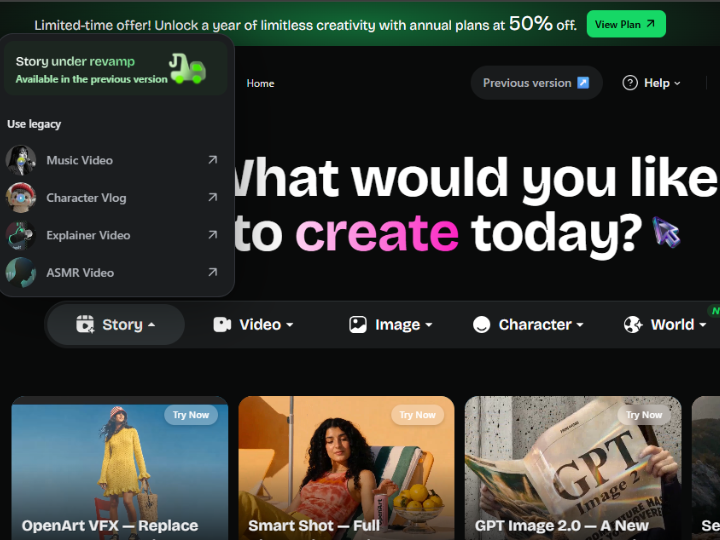
Go to OpenArt.ai. Click "Create" → "Image". Use detailed prompts to generate your character in multiple poses.
Example Prompt:
"A confident female character named Luna, time traveler from the future, wearing a sleek silver and purple outfit with neon accents, purple holographic hair, standing in a futuristic command center, confident expression, hands on hips, cinematic lighting, 4K quality, detailed, professional photography style"
Generate 5-10 different variations. Different angles, different emotions, different poses. You're building a visual library for your character.
Reference Images You Need:
→ Full body shot (standing confidently)
→ Close-up face (showing expressions)
→ In action pose (dynamic, interesting)
→ In setting (character in their unique environment)
→ Multiple emotional expressions (happy, confused, determined, laughing)
For each vlog episode, generate 5-8 scenes. Your character in different situations telling a story or going on an adventure.
Vlog Episode Example: "Time Traveler Visits 1920s"
Scene 1 (Intro): Luna in her command center looking excited. Prompt: "Luna the time traveler standing in futuristic command center, excited expression, about to activate time machine, neon lights, cinematic"
Scene 2 (Arrival): Luna materializes in 1920s speakeasy, shocked expression. Prompt: "Luna time traveler materializing in a 1920s speakeasy, shocked surprised face, surrounded by flapper dancers and jazz musicians, vintage setting, cinematic"
Scene 3 (Interaction): Luna talking to people, confused about old technology. Prompt: "Luna time traveler trying to use a 1920s telephone, confused and amused expression, vintage phone, period accurate setting"
Scene 4 (Adventure): Luna dancing or doing something fun. Prompt: "Luna time traveler dancing with 1920s dancers, having fun, flapper dress, excited expression, jazz club ambiance"
Scene 5 (Problem): Something goes wrong (her time device malfunctions). Prompt: "Luna time traveler panicking, her time device sparking and breaking down, 1920s speakeasy background, distressed expression"
Scene 6 (Solution): Luna figures it out. Prompt: "Luna time traveler looking determined and smart, fixing her device with 1920s tools, concentrated expression, innovative"
Scene 7 (Goodbye): Luna preparing to leave. Prompt: "Luna time traveler saying goodbye to 1920s people, waving, nostalgic smile, ready to return home"
Scene 8 (Return): Luna back in her command center. Prompt: "Luna time traveler back in futuristic command center, reflecting on her adventure, satisfied smile, glowing neon"
Each scene takes 30-60 seconds to generate on OpenArt. Total time: 10-15 minutes to create a full vlog's worth of scenes.
Use ElevenLabs to generate character voiceovers. Pick a voice that fits your character's personality.
Example Script for "Time Traveler Visits 1920s":
"Hey everyone, it's Luna. Today I'm traveling back to the 1920s—yes, THE roaring twenties. I've got my time device, I've got my attitude, and I absolutely have no idea what I'm walking into. Let's do this."
Generate the voiceover as an MP3. Download it.
Open CapCut. Import your 8 scene images from OpenArt. Set each to display for 5-10 seconds. Import your voiceover MP3. Sync audio with scenes.
Add transitions between scenes. Add background music (royalty-free from YouTube Audio Library). Add captions (CapCut auto-captions from audio).
Add text overlays for dramatic moments: "OH NO!" "Wait, what?" "This is insane!"
Export as 1080p. Total video length: 3-5 minutes.
Title: "Luna Travels to the 1920s (What Happens Next SHOCKED Me) 🤯"
Description: Brief story summary + links + "Subscribe for more Luna adventures"
Tags: Luna, time traveler, vlog, character vlog, 1920s, adventure, AI character
Thumbnail: Luna's face looking shocked/amazed (generate with OpenArt or take from scene)
Upload. Hit publish.
For Time Traveler Character: Visits ancient Rome, meets Cleopatra, attends dinosaur era, crashes Royal Ball, prevents historical disaster, meets Shakespeare, explores future Earth, etc.
For Detective Character: Solves missing painting case, investigates haunted mansion, cracks secret code, uncovers crime ring, etc.
For Travel Vlogger: Explores floating city, discovers hidden island, climbs impossible mountain, visits underwater kingdom, etc.
For Therapist Character: Gives life advice, addresses common anxieties, discusses relationships, talks about career changes, etc.
Each character type has limitless content possibilities. You'll never run out of ideas.
Week 1: Create 5-7 videos. Upload daily. Get 100-500 views per video.
Week 2-3: One video goes viral. 50K views. Subscribers start accumulating.
Week 4-8: Consistent uploads. Views increasing. Hit 10K subscribers.
Week 9-12: Hit 4K watch hours + 1K subscribers. YouTube Partner Program activated.
Month 4+: Earning $500-2,000/month from ads. Sponsors interested. Merch opportunities.
YouTube AdSense: 100K views = $300-500. 1M views = $3,000-5,000.
Sponsorships: Once at 50K followers, brands pay $1,000-5,000 per video.
Patreon: 1% of followers become supporters at $5-20/month = $1,000-4,000/month.
Merchandise: Sell character t-shirts, posters, hats. Profit margin = 40-60%.
Affiliate Links: Promote OpenArt, ElevenLabs, etc. Earn commissions.
Realistic Income Projection: Month 6 = $2,000/month. Month 12 = $5,000-10,000/month (ads + sponsorships + Patreon).
One person. One laptop. Can produce 30 character vlogs per week. That's 4 videos per day.
Daily workflow:
8am: Brainstorm 4 episode ideas
9am: Generate scenes on OpenArt (2 hours, while waiting you do other work)
11am: Write scripts + generate voiceovers on ElevenLabs (1 hour)
12pm: Edit in CapCut (30 minutes per video × 4 = 2 hours)
2pm: Upload + thumbnails (30 minutes)
Total: 6-7 hours for 4 complete videos. That's $50-100/hour for most people.
Consistency. Upload daily. No breaks. The algorithm rewards consistency.
Character Quality. Your character must be visually distinct and memorable. Spend time designing them.
Story Quality. Generic adventures don't work. Your character needs compelling stories with drama, humor, heart.
Voiceover Quality. The voice makes the character. Pick a good voice on ElevenLabs. Be consistent.
Thumbnails. Eye-catching. Character's face. Emotion. Text overlay. This is what makes people click.
Creating one video is easy. Building a viral channel that makes $5K-10K/month is strategy. Learn character development, storytelling, video optimization, and channel growth with courses on Startuplexa. Turn character vlogs into real income.
Your email address will not be published. Required fields are marked *